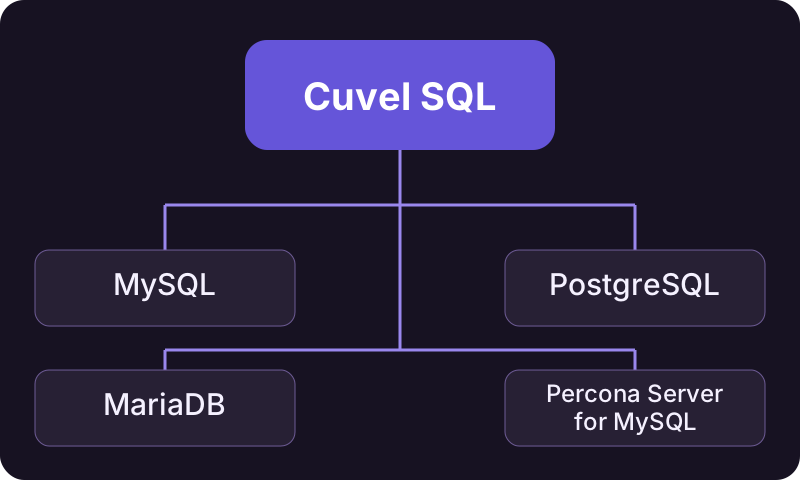
Four database products
Cuvel SQL is a database client for Windows. Choose the database product in connection settings and work with that server. It does not install a database server. You can use local databases and remote databases that permit your connection.
Compare the main features
The table lists major operations implemented in the app. Availability still depends on the server version, permissions and table definitions.
| Feature | MySQL / MariaDB / Percona | PostgreSQL |
|---|---|---|
| Selecting a target | Database → table | Connection database → schema → table |
| Browse, search and sort | Supported | Supported |
| Add, edit and delete records | Supported, subject to row identification and permissions | Supported, subject to row identification and permissions |
| Run SQL | Supported; use the destination’s SQL syntax | Supported; use PostgreSQL syntax |
| Columns and indexes | Supported, with type, setting and permission limits | Supported, with type, setting and permission limits |
| Physical column reordering | Supported when definitions can be preserved safely | Not supported |
| Export | SQL, CSV, TSV, XLSX, JSON, PDF, PHP | SQL, CSV, TSV, XLSX, JSON, PDF, PHP |
Differences between products
MySQL, MariaDB and Percona share much of the interface, but their syntax and features are not identical. PostgreSQL needs a database name when connecting; you then select schemas and tables within it. Physical column reordering is not available for PostgreSQL. Collation, automatic numbering and maintenance also vary. SQL written for one product may not run unchanged on another.
Connection and operation requirements
Direct connections and SSH tunnels are available. TLS and CA controls depend on the connection route; see the connection guide. Editing requires safe row identification, such as a primary key, and suitable permissions. Test data generation is intended for empty tables and may be restricted by types and constraints. This is not a guarantee for every version or cloud service.
Before you start
Check the database product, version and available permissions. The guides cover your first connection, searching, editing, exporting and troubleshooting.
Search, edit and export records →
Your first connection →