
Create 1–50 rows in an empty table
This feature is for checking a newly created table or similar small tests, not bulk generation. It targets InnoDB tables in MySQL-compatible products and regular PostgreSQL tables. Foreign keys, triggers, inheritance and other structures can restrict use. Use an empty test table.
Open the test data dialog
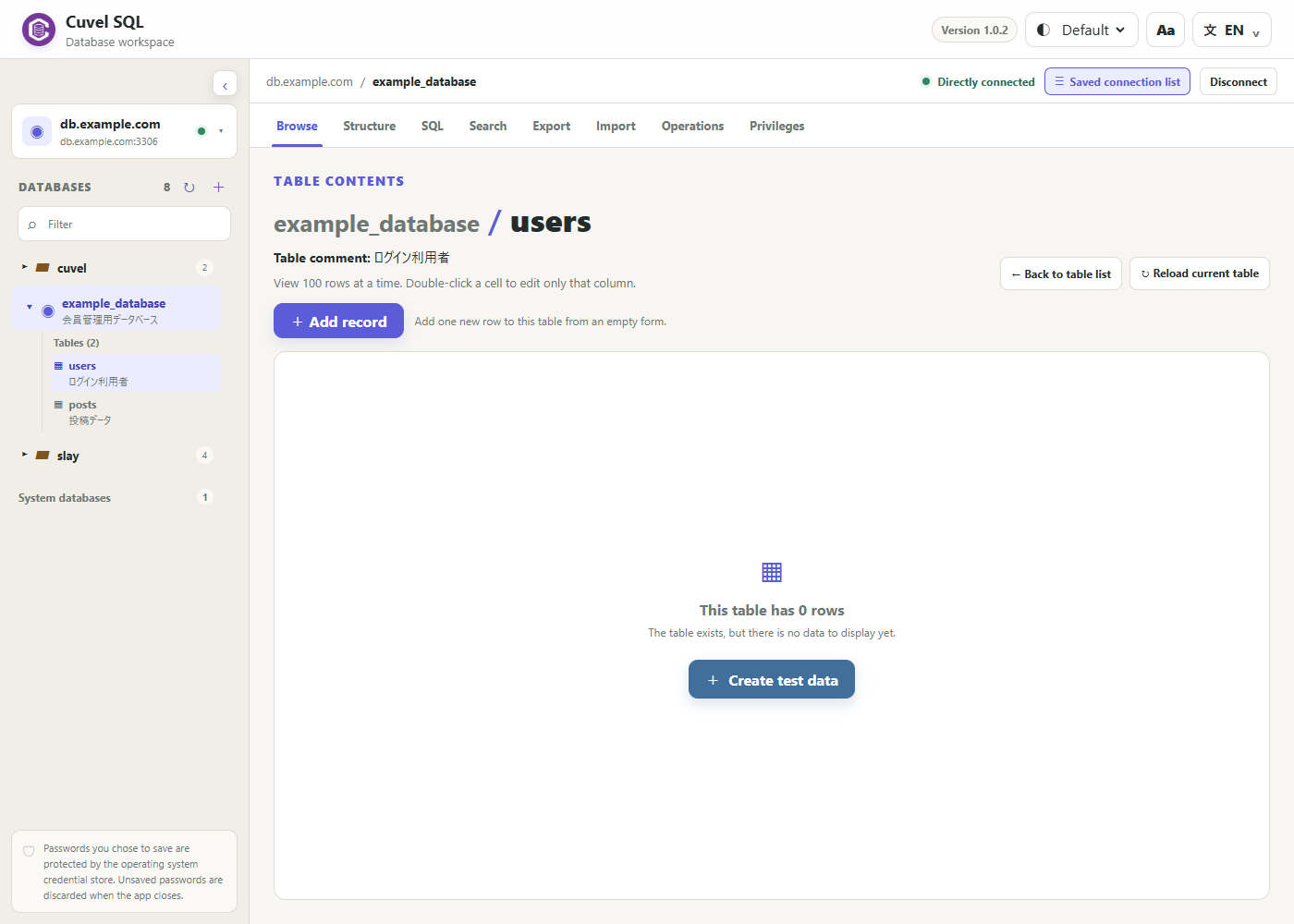
For a new table, check Prepare test data after creation before creating it. For an existing empty table, open Browse and choose Create test data below the zero-row message. It is unavailable when records already exist. Closing the dialog leaves the table in place.
Choose a row count and generators
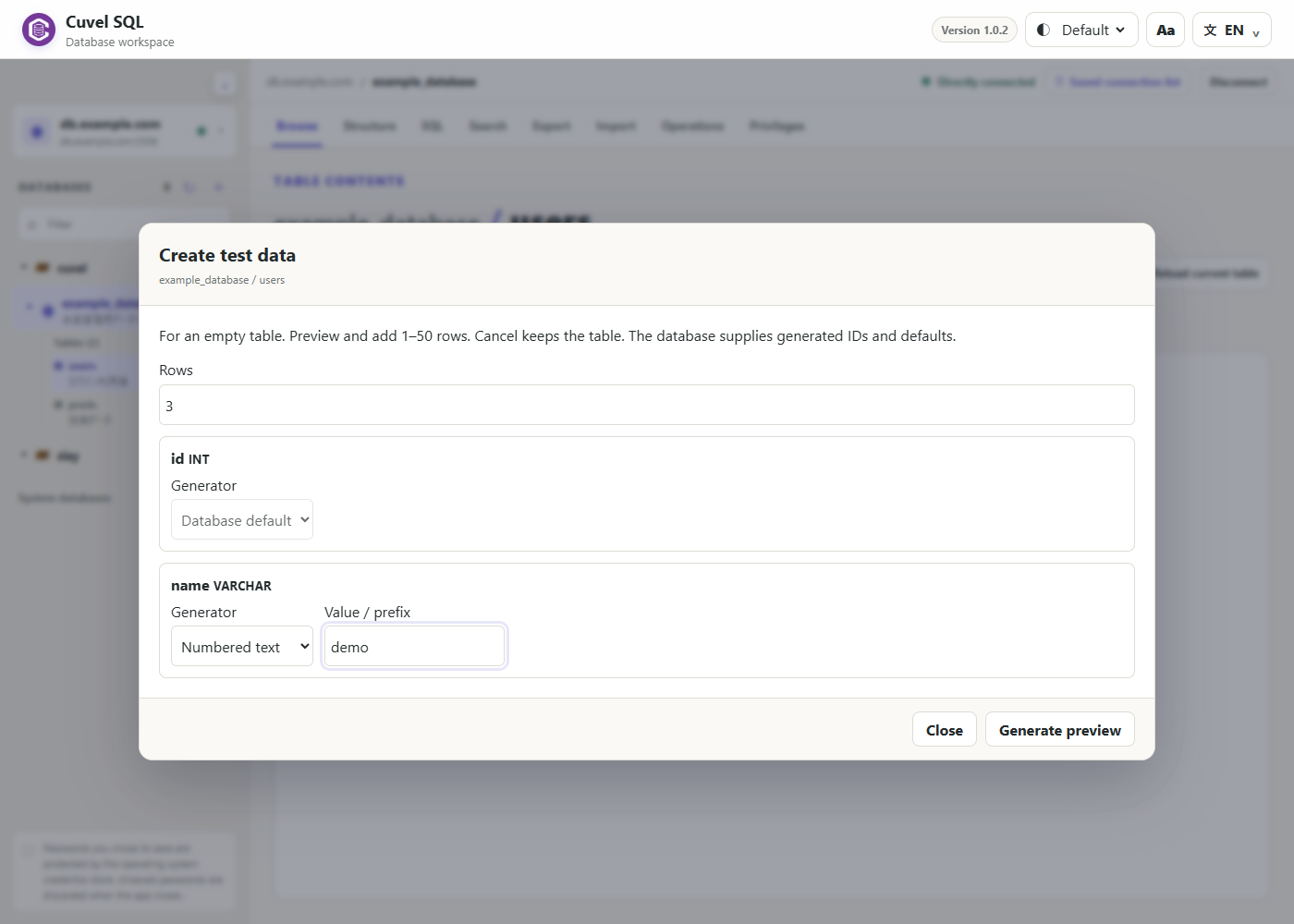
Set 1–50 rows and choose a generator for each column. Depending on the type, options include sequences, random ranges, sample names, numbered text, sample emails, dates, fixed values and NULL. For example, numbered text with prefix demo produces demo_001 and similar values. Generated IDs and database defaults are supplied by the database, so their final values may not appear in the preview.
Review the preview, then insert
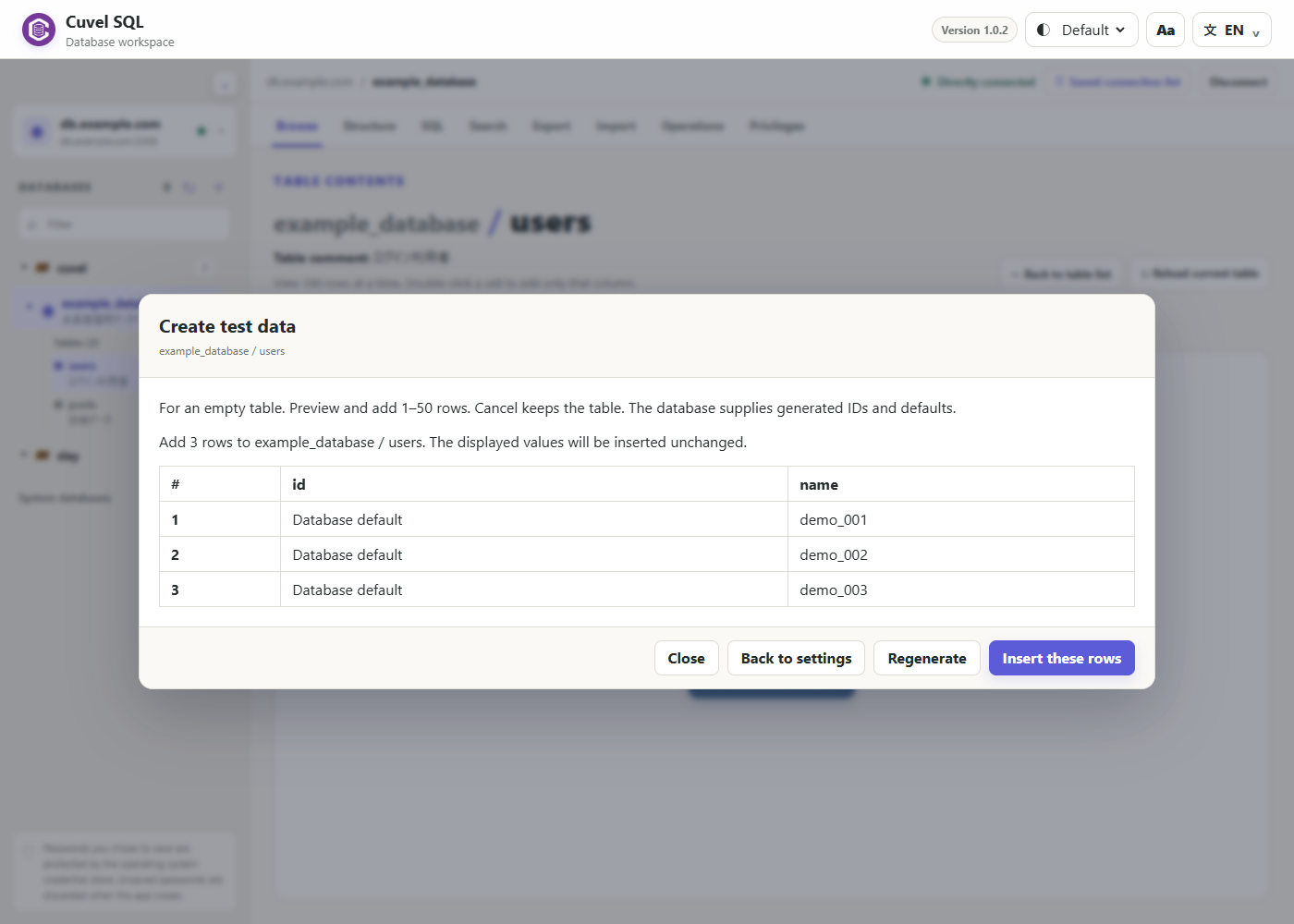
Choose Generate preview and check the table, count and values. Nothing is inserted yet. Regenerate creates new values; Back to settings lets you change the setup. Choose Insert these rows to insert the previewed values, except IDs and defaults supplied by the database.
Check the outcome
Check the completion message, close the dialog and inspect the records. The table is checked again before insertion; existing records cause it to stop. If a duplicate or constraint error reports a full rollback, revise the settings. If the outcome is uncertain, inspect the table before retrying. Generated samples are not real business data.
Search, edit and export records →
Your first connection →